
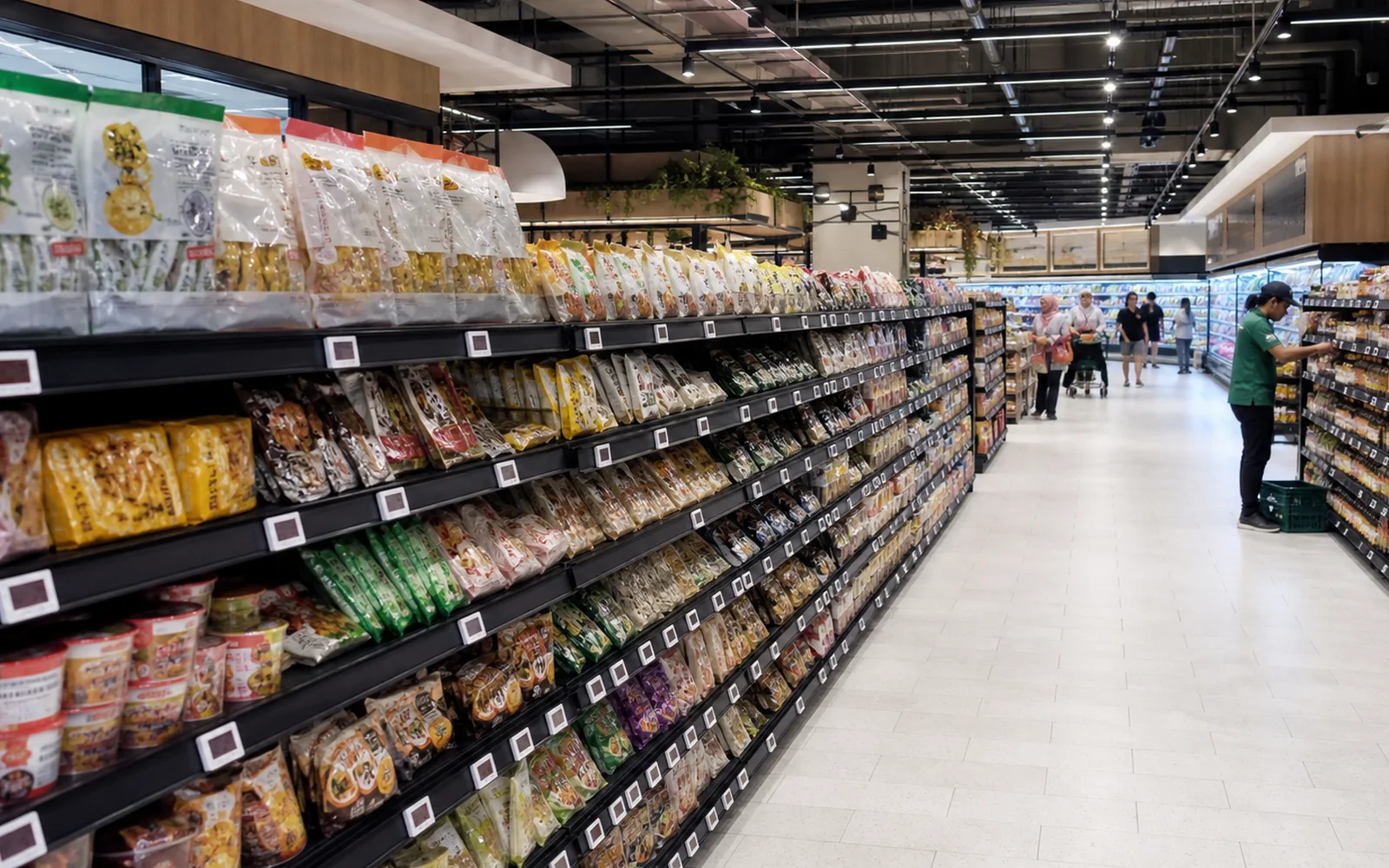
Electronic shelf labels are often described as digital price tags, but the label is only the visible end of a wider operating system. A reliable multi-store setup connects product and price data, store-level hardware, network coverage, mounting choices, and the routines used by merchandising and operations teams. Understanding those parts before rollout helps a retailer set realistic responsibilities and avoid treating the project as a simple label replacement exercise.
Start with one source of pricing truth
The central question is where an approved price begins. Depending on the retailer, that source may be a point-of-sale system, an ERP, a product information platform, or another authorised database. The ESL platform receives the approved information and associates it with the correct product, label, outlet, and template. This mapping matters because the same item can have different prices or promotions in different locations.
Before connecting stores, the project team should document product identifiers, outlet codes, promotion rules, approval roles, and the timing of updates. Fulhive can help map this operating flow during an electronic shelf label assessment, while the retailer retains control of its approved pricing rules and source systems.
Connect each outlet through local infrastructure
Each store needs suitable communication coverage between the ESL platform and the labels installed on shelves. Gateways or access points relay updates to the display network. Their quantity and placement depend on the building layout, shelf materials, obstructions, label type, and the vendor system selected for the project. A site survey and a controlled pilot are therefore more useful than assuming a fixed coverage figure for every outlet.
The labels also need the correct fixtures. Standard rails may work for conventional gondola shelves, while baskets, freezers, glass edges, hooks, or promotional displays can require different clips and holders. Treating fixtures as part of the design reduces loose labels, awkward viewing angles, and inconsistent presentation.
Define how an update becomes visible
When an authorised price changes, the platform sends the new content through the store network to the assigned label. The display refreshes and can report its status back to the management platform when the selected system supports that function. Store teams still need an exception process for products that are moved, missing, incorrectly paired, or temporarily displayed outside their normal shelf position.
A sensible workflow separates approval from execution. Head office or authorised managers approve commercial changes; the ESL system distributes them; store teams resolve physical shelf exceptions. This keeps pricing governance clear while reducing repetitive manual replacement work.
Roll out in waves, not all at once
For a retailer with multiple outlets, the first live location should represent the wider estate without being the most complex store. The pilot can validate system integration, wireless coverage, fixtures, label templates, staff routines, and support escalation. The lessons then become a repeatable store playbook.
Later waves can group outlets by format, region, or operational similarity. Record what was installed at each site, who approved the mappings, and how exceptions were closed. This creates a dependable handover instead of relying on project memory.
Measure operational readiness as well as technology
A successful multi-store deployment is not defined only by whether labels can refresh. It should also answer whether the right people can approve changes, whether staff understand pairing and exception handling, whether support teams can diagnose coverage or hardware issues, and whether replacement stock is controlled. These questions turn ESL from a one-off installation into a managed retail capability.
To review store formats, integrations, and a suitable pilot sequence, talk to Fulhive about your rollout.